

Video Controls for Instagram
A clean player toolbar for every Instagram story, reel and post video. Change the speed, boost quiet audio, jump to any second and fix dull colors without leaving the page.
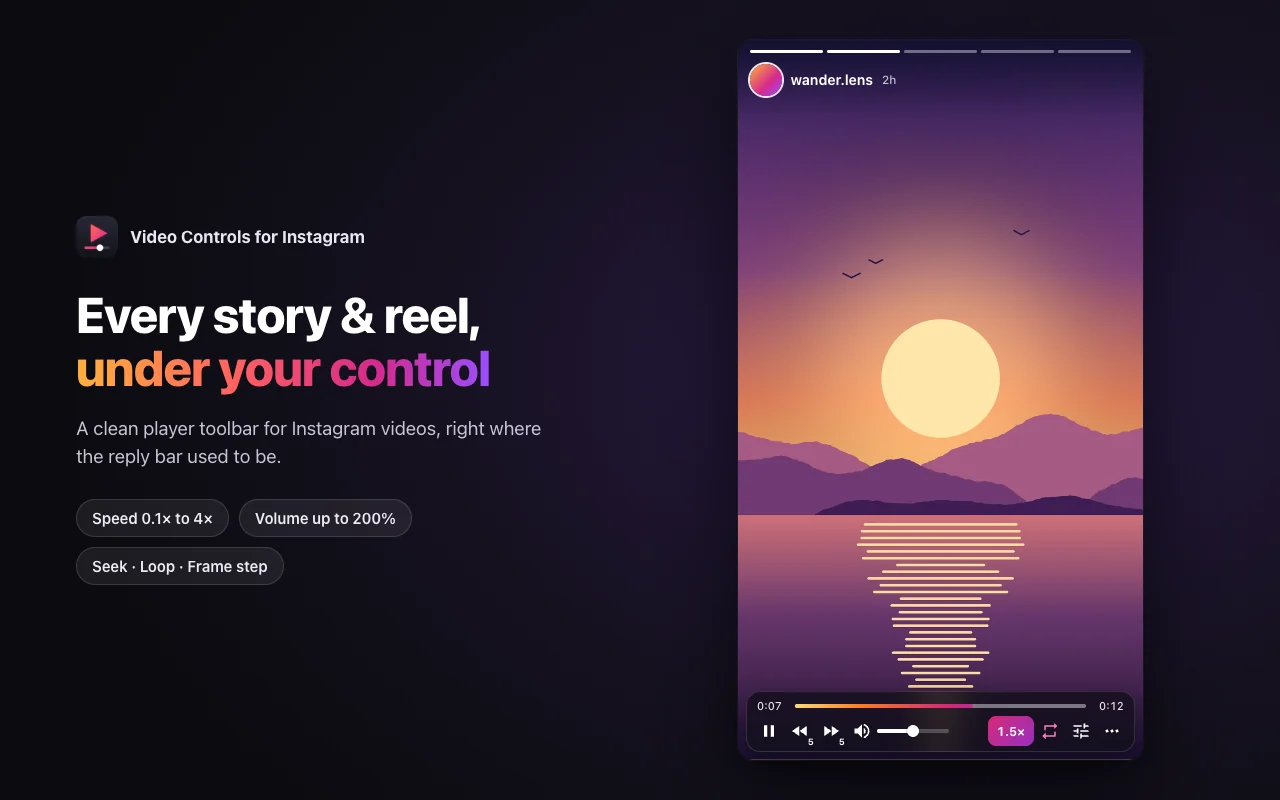
Built for stories
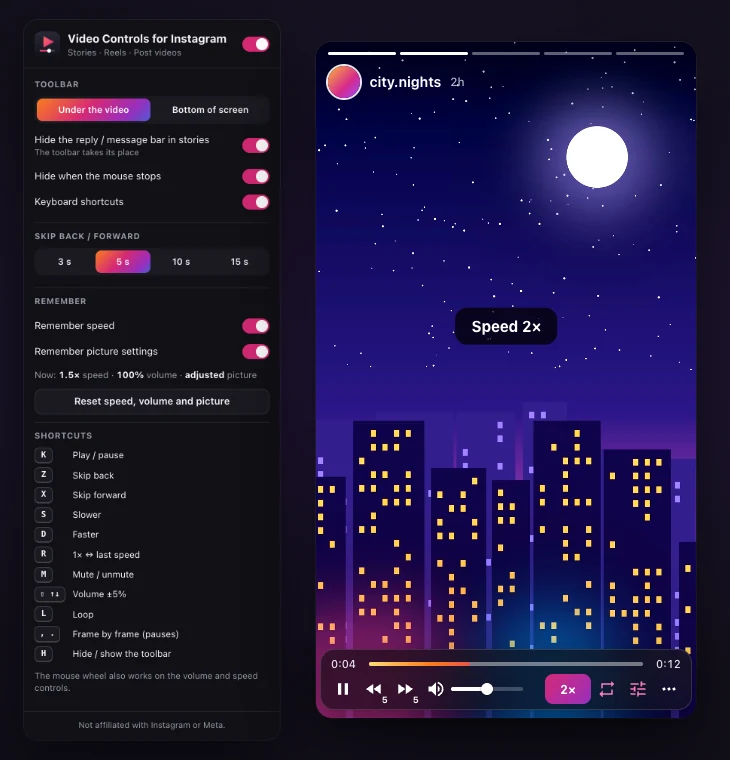
In stories, the toolbar takes the place of the reply bar, so it never covers the part of the video you are watching. Loop a story to stop it from jumping to the next one, or pause it without holding the mouse down. Prefer the reply bar? Turn that option off in the settings popup and the toolbar moves up to sit above it.
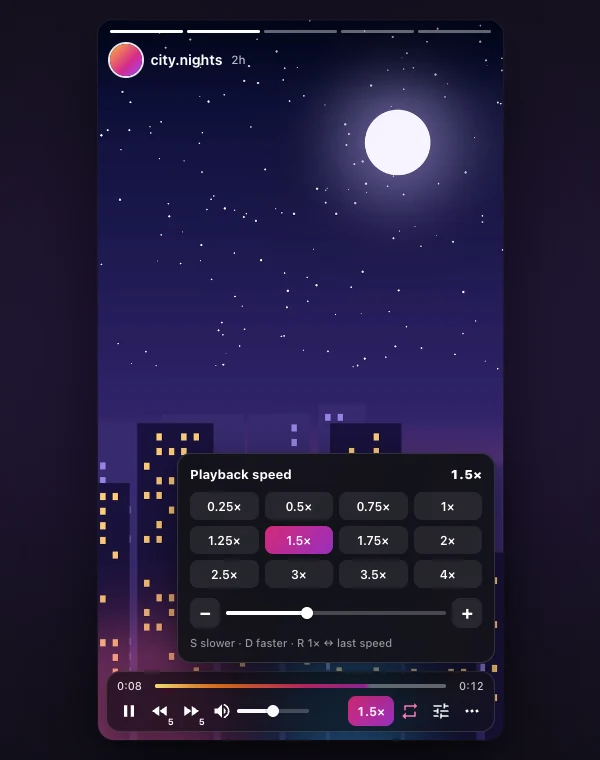
Watch at your own speed
Pick a preset from 0.25× to 4× or drag the slider for anything in between. The speed you choose carries over to the next story and reel, and the extension remembers it for next time. Press S and D to step down or up, and R to jump back to 1×.
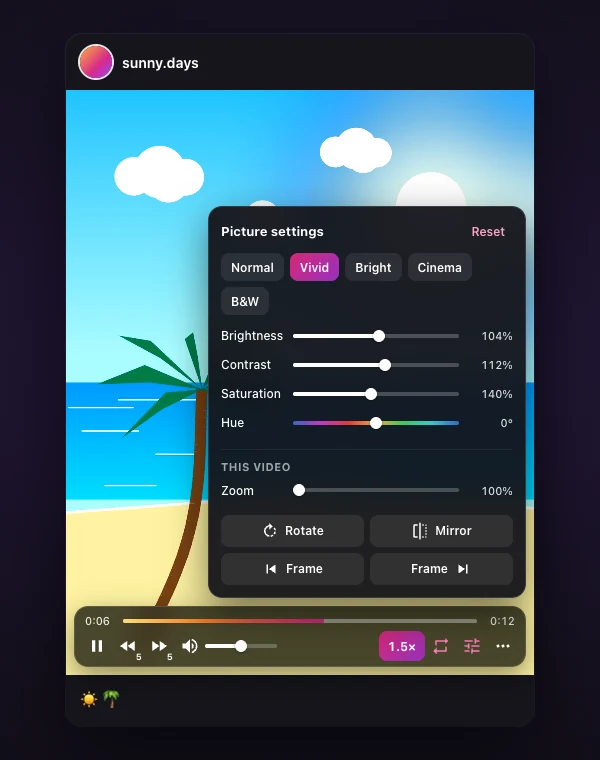
Make dull videos pop
Brightness, contrast, saturation and hue apply to every video until you reset them. The Vivid, Bright, Cinema and B&W presets get you there in one click. Zoom, rotate and mirror work on the current video only.
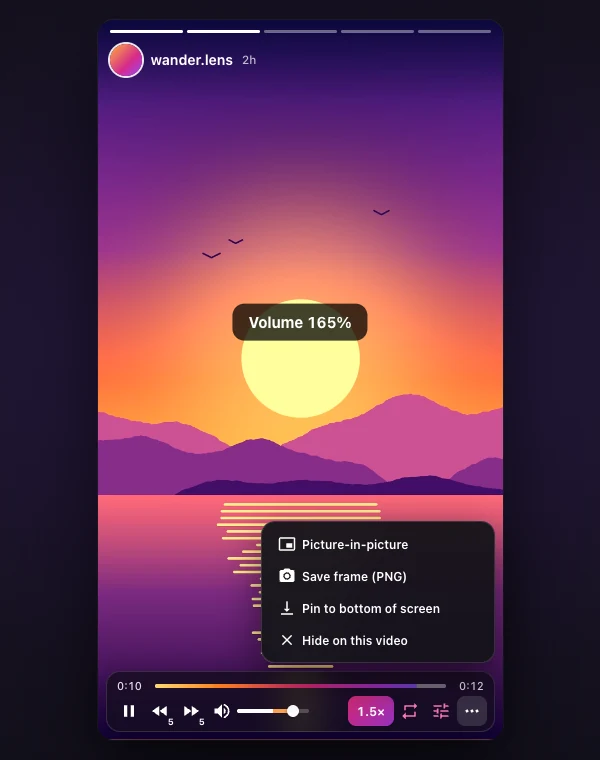
Boost quiet videos
Push the volume past 100%, up to 200%, when a clip was recorded too quietly. The ⋯ menu opens picture-in-picture, saves the current frame as a PNG, or pins the toolbar to the bottom of your screen.
Made for the keyboard
Every control has a key, so you can watch without reaching for the mouse. Everything else lives in one small settings popup: toolbar position, skip length, what to remember between visits.
Keyboard shortcuts
Shortcuts pause themselves while you type a comment or a message.
13 languages
The extension follows your Chrome language and falls back to English.
Privacy in one paragraph
The extension has no servers of its own. It makes no network requests, loads no remote code and collects nothing about you. Your settings live in Chrome’s local extension storage and are removed when you uninstall it. Read the full privacy policy.
Questions
Is Video Controls for Instagram free?
Yes. Every feature is free, with no account and no sign-in.
Does it download Instagram videos?
No. It only controls playback in your browser: speed, volume, seeking, looping and picture settings. The only file it ever saves is a still image, and only when you click Save frame.
Which permissions does it ask for?
One permission, storage, to remember your settings. It runs only on instagram.com. It cannot see other sites, your tabs or your browsing history.
Which browsers are supported?
Chrome, plus any Chromium browser that installs from the Chrome Web Store, such as Microsoft Edge, Brave, Opera and Vivaldi.
Why does the toolbar disappear?
It fades out when the mouse stops moving over the video and comes back as soon as you move it. You can keep it visible or pin it to the bottom of the screen from the settings popup. Press H to hide it everywhere.
Is this an official Instagram product?
No. Video Controls for Instagram is made by VidPickr and is not affiliated with, endorsed or sponsored by Instagram or Meta.
Not affiliated with, endorsed or sponsored by Instagram or Meta. Instagram is a trademark of Meta Platforms, Inc. Looking for our YouTube tool instead? See the VidPickr browser extension.